


[ Get a Demo ]
Ready To See AVA in Action?
See exactly how our AI Voice Agent can be customized for your business. Book a free, no-obligation walkthrough today.
Pick your industry and we'll send you the playbook: real use cases in production and the ROI numbers (no-shows recovered, after-hours leads captured, hours saved).

Drop your details and AVA will call your phone within a minute, with a script tailored to your industry. You'll hear exactly how she'd handle one of your customers.
Every morning, clinic managers face a familiar, frustrating reality. You look at the day’s schedule and notice three empty slots. By the afternoon, two more patients failed to show up without calling.
These missed appointments are not just minor inconveniences; they represent thousands of dollars in lost weekly revenue. For busy medical practices, dental offices, and physical therapy clinics, managing this calendar leakage is a constant, manual struggle.
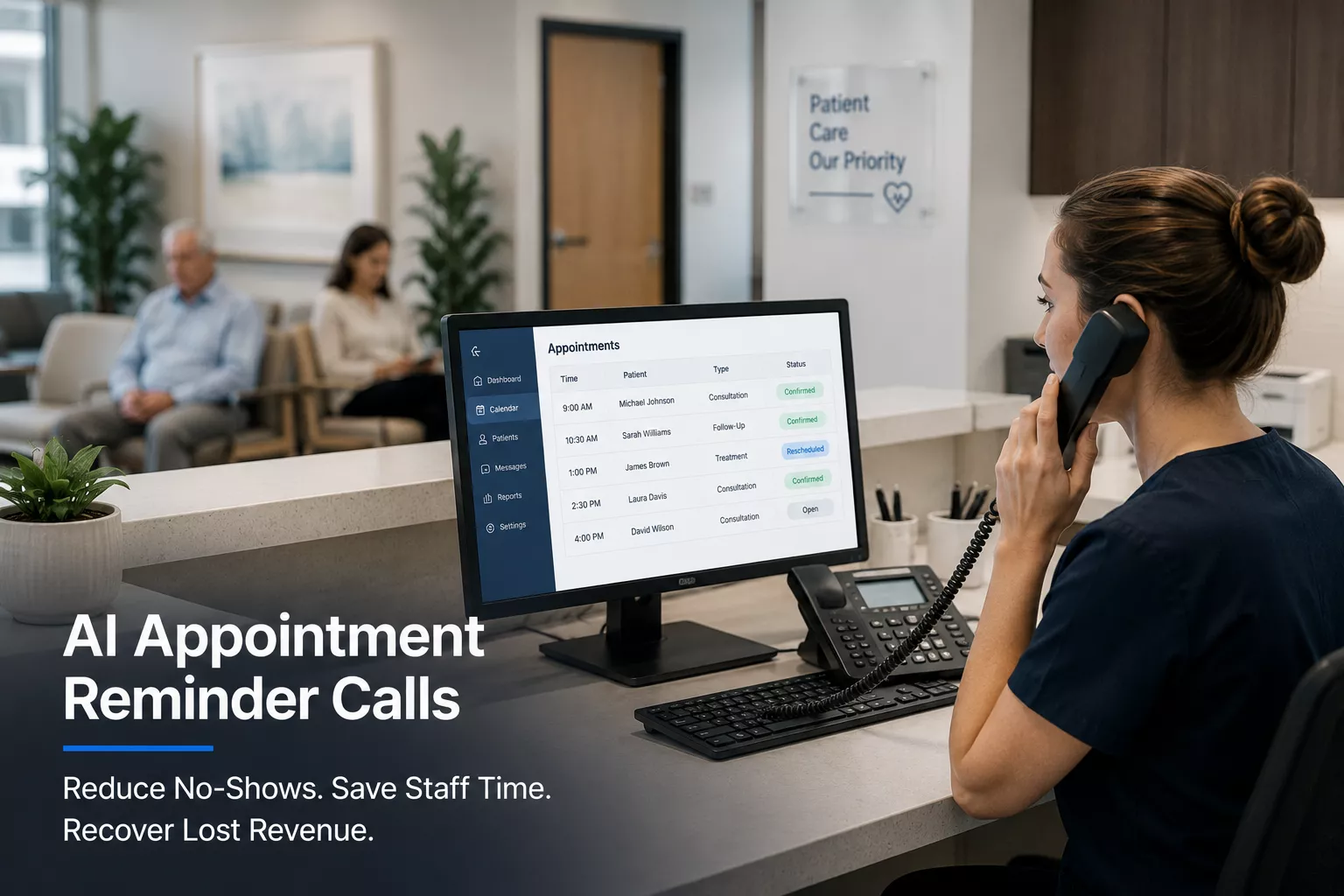
Implementing AI appointment reminder calls is becoming the standard way modern clinics protect their schedules. Using an AI voice agent for healthcare allows your front desk to automate outbound confirmation calls and follow-ups.
This guide details how automated systems handle reminders, manage post-visit follow-ups, and keep your schedule full without adding to your staff’s daily workload.
Manual outreach is a fragile way to run a clinic’s schedule. When your office gets busy, reminder calls are usually the first task your staff postpones.
If your team only contacts patients when they have free time, you will inevitably see a spike in last-minute cancellations. This inconsistency is one of the top patient communication problems in clinics today.
Relying on staff to make manual calls introduces several operational bottlenecks:
These inefficiencies explain why missed calls cost clinics new patients every day. When your staff is stuck on the phone leaving routine reminders, they cannot answer incoming inquiries from new patients.
Automated systems do not simply send one-way blasts. A conversational voice agent interacts with patients just like a human receptionist would.
By using AI voice agent appointment reminders, your clinic can reach patients at optimal times, answer their questions, and update your calendar instantly.
Outbound reminder automation is a structured sequence that connects patient databases with real-time calendar systems.
Here is exactly how a platform like ThanksAVA executes an outbound reminder call from start to finish.
The AI agent connects directly to your Electronic Health Record (EHR) or Practice Management Software (PMS).
Every day at a designated time, the system scans the schedule for appointments occurring in the next 24 to 48 hours. It extracts the patient’s name, phone number, appointment time, provider name, and visit type.
This direct integration ensures the agent always works with real-time data, preventing double bookings or calling patients who have already rescheduled.
Once the system identifies a target patient, it initiates the call.
Unlike old, pre-recorded robocalls that play a generic audio file, the agent uses natural, human-like voice synthesis. It respects local time zones and clinic-defined calling windows, ensuring patients are never disturbed too early or too late.
If the patient does not pick up, the system recognizes the voicemail beep. It then leaves a clear, personalized message detailing the appointment info and a return number.
When a patient answers, the agent states the purpose of the call clearly:
“Hi Sarah, this is the front desk assistant calling from Metro Dental. We have you scheduled for a teeth cleaning with Dr. Adams tomorrow, Tuesday, at 2:00 PM. Are you still able to make that time?”
The patient can respond naturally. If they say, “Yes, I’ll be there,” the agent confirms the details, notes any parking or intake form requirements, and ends the call.
If the patient says, “No, I have to work then. Can we do Wednesday instead?” the agent initiates AI appointment scheduling for clinics.
The system reads Wednesday’s real-time availability from the EHR and offers two open slots:
“I can move you to Wednesday. We have 10:00 AM or 3:30 PM open with Dr. Adams. Do either of those work for you?”
Once the patient selects a slot or confirms, the AI agent updates the EHR immediately.
The appointment status changes from “Unconfirmed” to “Confirmed” or “Rescheduled.”
If the patient cancels, the slot is immediately marked as open, allowing your staff or the AI agent to offer it to patients on your waitlist.
A patient’s journey does not end when they walk out of your clinic. Post-visit care is critical for patient outcomes and retention, yet few practices have the time to call every patient afterward.
Using automated follow-up calls AI allows your clinic to check in on patients systematically.
After surgical procedures, dental extractions, or intensive therapy, patients need monitoring.
The AI agent can call patients 24 hours after their visit to check on their recovery:
“Hi James, this is the assistant at Apex Orthopedics checking in after your knee injection yesterday. On a scale of one to ten, how is your pain level today?”
If the patient reports a high pain level or mentions symptoms like redness or fever, the AI instantly flags the record and escalates the call to a clinical staff member.
If they are recovering well, the agent logs the feedback in the patient’s file.
For chronic care or multi-session treatments, consistency is vital.
The AI agent can call patients to check if they have filled their prescriptions or started their exercises:
“Hi Martha, we wanted to see if you were able to pick up your new physical therapy exercises. Have you been able to complete the stretching routine we set up?”
This proactive care keeps patients engaged, improves clinical outcomes, and reduces the likelihood that they drop out of treatment early.
Many patients leave the clinic without booking their next recommended appointment.
The AI agent identifies patients who are due for a follow-up but do not have one scheduled:
“Hi David, Dr. Patel recommended a follow-up visit three weeks after your initial consultation. We don’t have one scheduled for you yet. Would you like me to help you book that now?”
By automating this outreach, your clinic can secure necessary repeat visits, ensuring patients complete their care plans while stabilizing your monthly booking volume.
Different medical specialties face different scheduling challenges. Here is how three common practice types benefit from automated calling.
A clinic with four doctors handles over 150 patients a day. The front desk staff is constantly interrupted by incoming calls, making outbound reminders impossible to complete.
By deploying an AI after-hours answering service combined with outbound reminders, the clinic automates 100% of its confirmation calls.
When patients call back after hours to change their time, the AI handles the reschedule without human intervention. The staff arrives every morning to a fully confirmed schedule and clean data in their EHR.
Dental practices lose significant revenue when patients miss high-value crown or root canal appointments.
Using ThanksAVA, the dental group sets a rule: any appointment worth over $300 must be confirmed 48 hours in advance.
If the patient does not confirm after two automated calls, the AI system alerts the office manager to call them manually, while automatically offering the slot to the clinic’s priority waitlist if the patient cancels.
Physiotherapists require patients to attend sessions twice a week for several weeks. If a patient misses one session, they often fail to reschedule, breaking their recovery routine.
The AI voice agent monitors attendance. If a patient misses a Monday session, the system calls them on Tuesday morning:
“Hi Emily, we missed you at your therapy session yesterday. It’s important to keep up your progress. Can I help you reschedule that session for Thursday or Friday?”
This quick intervention keeps the patient on track and prevents them from falling out of the practice’s active patient list.
Not all automated calling systems are built the same. Basic interactive voice response (IVR) systems often frustrate patients with rigid menus.
To successfully reduce no-shows AI systems must include these essential capabilities.
Your AI system must be able to read and write to your practice calendar in real time.
If the system only sends reminders but cannot write updates back to your database, your staff will still have to copy data manually. Look for platforms that support deep integrations with major healthcare systems.
Patients do not speak in rigid commands. They do not want to “press 1 to confirm.”
They say things like, “I can make it, but I might be ten minutes late,” or “Can my daughter come at that time instead?”
Your voice agent must understand context, sentiment, and colloquial language to resolve calls successfully.
If a patient does not answer the first call, the system should not immediately give up or spam them hourly.
A professional system allows you to configure smart retry cadences. For example, if a call is missed at 10:00 AM, the system waits until 4:00 PM to call again, or switches to an SMS notification if the patient prefers text.
The AI agent should know its limits.
If a patient becomes confused, asks a complex medical question, or requests a policy exception, the system must transfer the call to your office staff. The transfer should include a summary on your screen so the patient does not have to repeat themselves.
It is normal to have concerns when introducing automation to patient care. Here are the answers to the most common questions practice managers ask.
Legacy automated calls used robotic, synthetic voices that felt impersonal. Modern voice agents use advanced neural text-to-speech technology.
They speak with natural cadence, variations in pitch, and realistic pauses. Most patients cannot tell they are speaking to an AI assistant and appreciate the quick, friendly interaction.
Many people ignore calls from unknown numbers. However, when the AI agent calls, it uses your clinic’s verified caller ID.
If the call goes to voicemail, the agent leaves a detailed, personalized message.
Patients are far more likely to call back when they see a voicemail detailing their upcoming appointment than a generic “missed call” notification.
Data security is non-negotiable in healthcare. Enterprise AI assistants do not store sensitive patient health information long-term.
They use encrypted API connections to pull data for the call and write the outcome back immediately. ThanksAVA uses secure, HIPAA-compliant protocols to ensure patient privacy is protected at every stage of the call.
Every day you wait to automate your reminders is another day of lost revenue, empty chairs, and staff burnout.
Manual phone tag should not consume your front desk’s energy.
ThanksAVA provides a conversational AI front desk platform designed to handle your calls, update your calendar, and manage patient communication.
Reduce your no-show rate by up to 40% in your first month.
Give your staff hours back to focus on the patients inside your clinic.
Provide 24/7 rescheduling options so patients can change bookings anytime.
Ready to see how ThanksAVA can streamline your front desk?
Book a custom demo of our AI assistant today
ThanksAVA supports multichannel communication. If a patient prefers text messages, the system can send SMS reminders and handle confirmation replies via text. If the patient does not reply to the text, the system can follow up with a friendly voice call to confirm.
Yes. You can fully customize the voice persona, tone, and specific scripts used by the AI agent. This ensures the assistant matches your clinic’s brand voice and follows your exact booking, cancellation, and check-in instructions.
Because the AI integrates directly with your Practice Management Software, it must follow the booking rules you set. It cannot double-book a slot or schedule a visit outside of your defined provider hours. If a patient requests something complex, the agent redirects the call to your staff.
Most clinics can set up and integrate ThanksAVA within a week. Our team handles the connection to your EHR/PMS system, helps you configure your outbound scripts, and tests the calling workflows to ensure everything runs smoothly before going live.
See exactly how our AI Voice Agent can be customized for your business. Book a free, no-obligation walkthrough today.